
About Dragon Simulator 3D
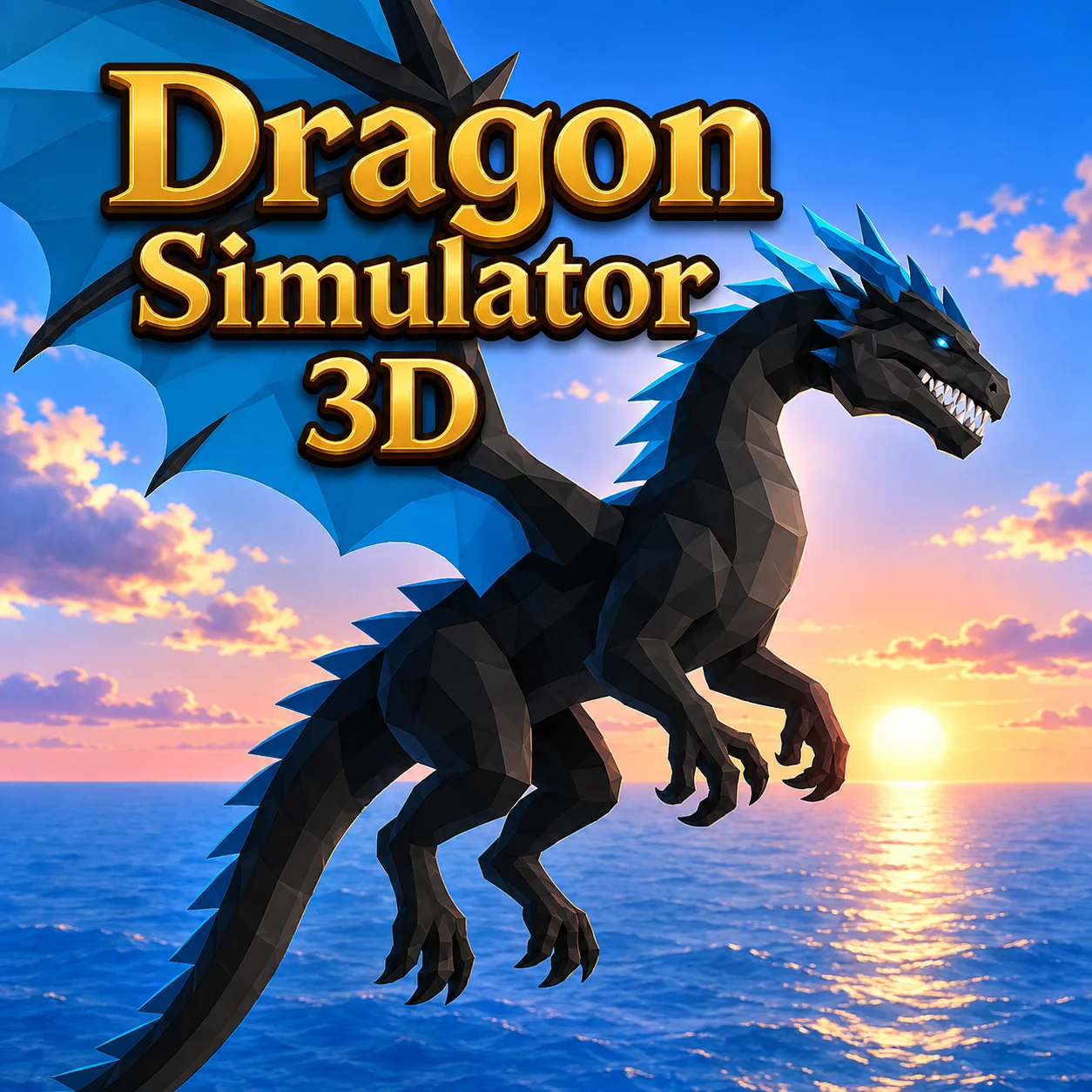
Most of Dragon Simulator 3D's gameplay comes down to flying and attacking as a customizable dragon in an open world. It is presented as a 3D simulator.
Create a dragon, explore the open world, fly and attack.
WASD or the arrow keys handle movement, Space lifts the dragon into the air and the mouse attacks.
The first challenge is usually getting comfortable with the relationship between movement and the 3D camera.
How to Play Dragon Simulator 3D
- Create a dragon, explore the open world, fly and attack.
- WASD or the arrow keys handle movement, Space lifts the dragon into the air and the mouse attacks.
- Spend the first few moments getting used to movement, camera direction and stopping distance before trying to complete a difficult objective.
- In a 3D space, a small camera mistake can make a simple route feel harder than it is.
Controls
Dragon Simulator 3D is played in the browser with WASD or Arrow Keys, Space, and Mouse.
Four Dragon Affinities Change the Character
Dragon Simulator 3D lets you create a dragon with nature, fire, ice or air affinity. The character can explore the world from the ground and from the air.
The mechanic matters because it can be planned for before the action happens.
Flying Changes How You Read the World
Space controls upward flight while the mouse handles attacks.
Learning the vertical movement first makes it easier to approach targets without losing control of the dragon's position.
The Dragon Can Leave the Ground
Flying is the major difference from a normal animal simulator.
You can change height with Space and combine that movement with attacks while exploring the open world.
Once the mechanic is understood in Dragon Simulator 3D, you can plan around it before the action happens.
Dragon Simulator 3D becomes easier to manage when the mechanic is treated as part of a sequence rather than a single action.
Using the 3D space to your advantage
Four dragon affinities change the character is closely connected to flying changes how you read the world.
Space controls upward flight while the mouse handles attacks.
Learning the vertical movement first makes it easier to approach targets without losing control of the dragon's position.
Because the game is presented as a 3D environment, the same destination can feel easy or awkward depending on the camera angle and the amount of room available to turn.
Flying Is a Skill Before It Is a Weapon
The dragon's movement is three-dimensional, so learning how to rise, turn and position the camera is useful before focusing on attacks.
A player who can control the flight path can approach a target deliberately instead of trying to correct the camera and attack at the same time.
Tips That Matter
- Practice the vertical flight input in open space before adding an attack to the approach.
- Learn the camera and movement together before attempting a difficult task.
- Slow down before turns, narrow routes or unfamiliar areas instead of correcting after the vehicle or character is already off line.
- Use the early exploration period to understand where the next objective sits in the environment.
FAQ
What is the main activity in Dragon Simulator 3D?
Most of the gameplay involves flying and attacking as a customizable dragon in an open world.
How do you control the game?
Use WASD or arrow keys to move; Space to fly up; mouse to attack.
What can you do during a session?
Create a dragon, explore the open world, fly and attack.
What should you know about Four Dragon Affinities Change the Character?
Dragon Simulator 3D lets you create a dragon with nature, fire, ice or air affinity.
What should you know about Flying Changes How You Read the World?
Space controls upward flight while the mouse handles attacks.
What should you practice first?
In your first few attempts, practice the vertical flight input in open space before adding an attack to the approach.
What changes as you become more comfortable with the controls?
Once the basics are familiar, flying is the major difference from a normal animal simulator.
More Games Like This
Death Run 3D
Geometry Dash 3D
Stack Bump 3D
Two Ball 3D Dark

1010 Color Match
2048 Hexa Merge Block
99 Balls

American Football Challenge

Ball Rush
Ball Sort Puzzle

Balls Avoid